 Omnira
 Section reference › Content
Text / rich content "type": "text"
A free-form block of your own HTML (paragraphs, headings, lists, links) under an optional section heading. Use it for privacy policies, terms, a story, or anything the other sections do not cover.
Example#
Paste this into the sections list of a page file:
JSON
{
  "type": "text",
  "title": "Privacy policy",
  "text": "Last updated: 1 March 2026",
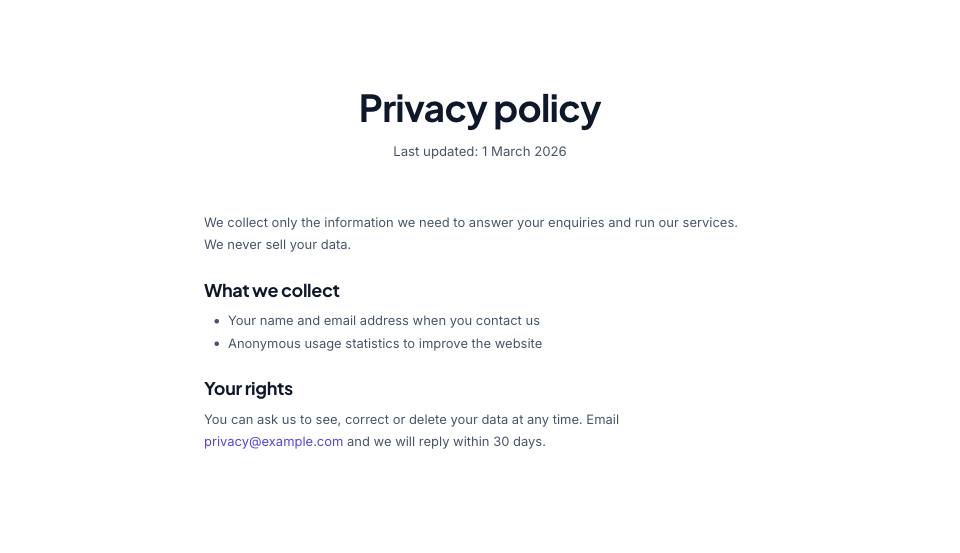
  "html": "<p>We collect only the information we need to answer your enquiries and run our services. We never sell your data.</p><h3>What we collect</h3><ul><li>Your name and email address when you contact us</li><li>Anonymous usage statistics to improve the website</li></ul><h3>Your rights</h3><p>You can ask us to see, correct or delete your data at any time. Email <a href=\"mailto:privacy@example.com\">privacy@example.com</a> and we will reply within 30 days.</p>"
}Options#
| Option | Type | Default | Description |
|---|---|---|---|
eyebrow | string | — | Small label shown above the title. |
title | string (HTML allowed) | — | Section heading. You can use <em> or <br> inside it. |
text | string | — | Short intro paragraph under the title. |
headAlign | string | center | Alignment of the eyebrow/title/text block. "start" puts it on the left. Values: center | start |
html | string (HTML) | — | The content, written as HTML: <p>, <h2>, <h3>, <ul>, <ol>, <a>, <strong>, <em>, <blockquote>... |
width | number | 8 | Width of the text column in grid columns out of 12. 8 gives a comfortable reading width; 12 is full width. Values: 6 | 7 | 8 | 9 | 10 | 12 |
center | boolean | false | Centre the text. Values: true | false |
buttons | array | — | Buttons centred under the text. See the "buttons" fields. |
Also accepts the options every section accepts: id, tone, padding, fluid, class, hidden.
Fields of each entry in buttons#
| Option | Type | Default | Description |
|---|---|---|---|
label | string | — | Button text. A button without a label is not shown. |
href | string | — | Link address, e.g. "contact.html" or "#pricing". Default "#". |
style | string | — | primary (default) | outline | light | dark | accent | link. "link" is a text link with an arrow. |
icon | string | — | Bootstrap Icons name shown after the label, without "bi-" (e.g. "arrow-right"). |
video | string | — | A YouTube/Vimeo embed URL. The button then opens the video in a pop-up instead of following href. |
Tips#
- In JSON, double quotes inside the HTML must be written as \" (or use single quotes in HTML attributes: <a href='contact.html'>).
- The whole HTML has to be on one line in the JSON file. Break long content into several paragraphs rather than several text sections.
- Only write HTML you trust: it is inserted into the page as it is.
Editing it in the HTML files#
The content is inside .rich-text. In the built HTML you can edit it like any web page.
Where it's used#
Open these pages in template/ to see it working:
- Tech Conference:
template/conference/code-of-conduct.html(sourcesrc/demos/conference/pages/code-of-conduct.json) - Photographer:
template/photography/gallery-weddings.html(sourcesrc/demos/photography/pages/gallery.json) - Portfolio:
template/portfolio/uses.html(sourcesrc/demos/portfolio/pages/uses.json)